
Affiliate disclosure: This post contains affiliate links. If you make a purchase through them, Smart Ops may earn a commission at no extra cost to you.
The real question isn’t “which tool” — it’s “do you need to pay yet”
Most comparisons jump straight into ranking tools by features, price, and reviews. But before any of that matters, there’s a more useful question: when it comes to free vs paid project management tools, do you actually need to pay anything yet? A surprising number of small businesses upgrade months before they hit any real limitation — and just as many stay stuck on a free plan long after it’s costing them more in workarounds than a subscription would.
I’ve found myself paying for services I didn’t research enough before committing to, and I’ve also been guilty of waiting too long before paying for the convenience I needed months earlier. It’s frustrating to realize, in hindsight, that you didn’t make the smartest move available to you. I imagine I’m not alone in this — and honestly, that’s partly what led to the birth of Smart Ops.
Getting this right matters more than it sounds — properly adopted PM software has been shown to save employees an average of 498 hours a year, but only once a team is actually using a tool that fits how they work, not one they’ve outgrown or over-bought.
What free plans typically include (and where they cut off)
Free tiers across most project management tools follow a similar pattern:
- Basic task lists and boards — enough to organize a handful of projects visually
- A capped number of projects or team members — usually somewhere between 3-10, depending on the tool
- Limited integrations — connecting your calendar or email might work, but deeper automations often don’t
- No or limited reporting — you can see what’s happening, but not analyze trends over time
Free tiers can work for a genuinely solo operation in the earliest stages — but most businesses grow into the cutoffs faster than expected, and the moment workflows get even slightly more complex, a paid plan usually pays for itself in time saved alone. Knowing exactly where these limits sit is half of what makes the free vs paid project management tools decision easier.
What paid plans actually add
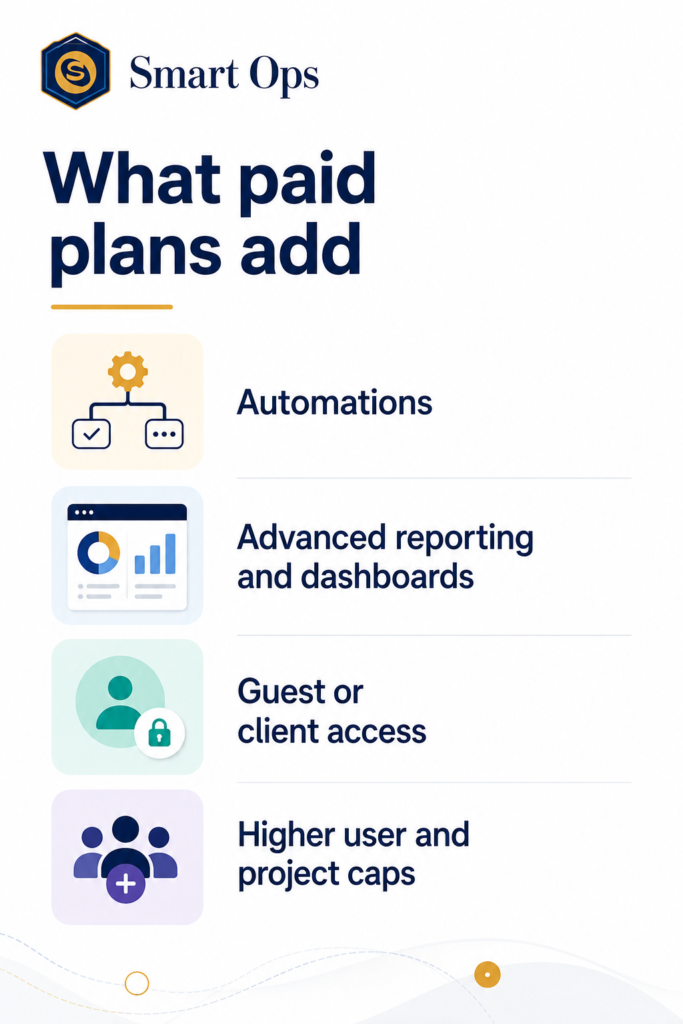
Paid tiers aren’t just “more of the same” — they typically unlock capability categories that don’t exist at all on free plans:
Automations — rules that move tasks, send notifications, or update statuses without manual input
- Advanced reporting and dashboards — tracking team workload, project timelines, and bottlenecks
- Guest or client access — letting people outside your core team view or comment on specific projects
- Higher user and project caps — removing the ceiling that free plans impose
You’ll typically know you need to move to a paid plan when you catch yourself manually doing something a paid automation would handle, or when you’ve hit the project/user cap more than once in a month.
Comparing the field: free-first, freemium, and paid-first
Different project management tools take genuinely different approaches to the free vs paid project management tools question, which is worth understanding before you pick one:
| Tool | Approach | Free Plan Limits | Paid Entry Price |
|---|---|---|---|
| Trello | Free-first | Generous for solo/small use; limited automations (Butler) | $5/user/mo (Standard) |
| ClickUp | Freemium | Unlimited tasks, but capped storage and limited views | ~$7/user/mo (Unlimited) |
| Monday.com | Paid-first | No free tier for teams (individual free plan only) | ~$12/seat/mo (3-seat min) |
Trello — the strongest genuinely free option
Trello’s free plan is unusually usable long-term — visual boards, unlimited personal boards, and enough structure for most solopreneurs and very small teams. It doesn’t currently run a formal affiliate program, so there’s no link to click here — just an honest recommendation if lightweight and free is genuinely what you need.
Watch out for: Butler automation (Trello’s rule-based automation feature) is capped on the free plan, and card attachments/file size limits can bite teams handling larger files.
ClickUp — the strongest freemium middle ground
ClickUp’s free tier is deliberately generous — unlimited tasks and members — which has made it one of the fastest-growing tools in this space. The paid tier unlocks unlimited storage, advanced automations, and more views (Gantt, workload, time tracking).
Best for: teams that expect to outgrow Trello’s simplicity but aren’t ready for Monday.com’s cost structure. 👉 [Try ClickUp free — no credit card required]
Watch out for: the interface has a steeper learning curve than Trello’s simplicity, given how much it packs in.
Monday.com — visual, but paid from the start
Monday.com takes a different approach — rather than a limited free tier you’ll eventually outgrow, it’s built paid-first, which means every team member gets the full visual board experience from day one, without hitting a free-plan ceiling later. For most small teams, this means budgeting for the same 3-seat minimum we flagged in our CRM comparison.
Best for: teams that want Monday.com’s visual board style and are prepared to pay from the outset. 👉 [Test Monday.com’s project templates for free]
Watch out for: the 3-seat minimum applies here too — budget roughly $36/month minimum, not the per-seat headline figure.
A simple decision framework for free vs paid project management tools
- Solo or 2-person team, simple task tracking: Trello’s free plan is genuinely enough
- Growing team, need automations without a big budget jump: ClickUp’s free-to-paid path scales well
- Want visual boards and ready to pay from day one: Monday.com
Free vs paid project management tools — the bottom line
The right answer to free vs paid project management tools isn’t universal — it depends entirely on where your team actually is right now, not where you expect to be in a year. Start free, watch for the specific friction points above, and upgrade only once you’ve genuinely hit them — not before.
Already sorted your free vs paid project management tools decision? Our comparison of the best CRM software for solopreneurs covers the other side of running a small business — managing the client relationships, not just the tasks.
Affiliate disclosure: Some links in this post are affiliate links. If you make a purchase through them, Smart Ops may earn a commission at no extra cost to you.
Leave a Reply